


<< 학습 목표 >>
1. 파일을 서버로 보낼 수 있다.
2. 서버가 보낸 파일을 다운 받을 수 있다.
리엑트를 사용해서 파일을 업/다운로드 하는 방법은 기존의 JS의 방법과 동일함
<< 파일 업로드 >>
프로젝트 -> src -> chapter05 -> Component11.jsx 파일을 추가하고 아래 코드를 추가하자
실제로 파일이 업로드가 되도록 하려면 서버에서 복잡한 과정을 거쳐야하므로 파일 업로드가 가능한 서버가 있다고 상상하자
아래 컴포넌트는 파일 업로드가 가능한 상상의 서버로 요청을 보내는 것
import React, {useState} from 'react';
import axios from 'axios';

function Component11() {
    const submit = (e) => {
        e.preventDefault();

        let formData = new FormData();
        formData.append("서버가 파일을 받기 위한 파라미터 이름", document.frm.uploadFile.files[0]);

        const fetch = async() => {
          await axios.post("파일 업로드가 가능한 상상의 서버", formData).then(response => {
            alert("성공!");
          }).catch((error) => {
            alert("실패!");
          });
        }

        fetch();
    }

    return(
        <div style={{"margin": "50px"}}>
            <form name="frm" onSubmit={submit}>
                <label>업로드 할 파일 : <input type="file" /> </label>
              <div>
                  <button type="submit">서버로 요청 보내기</button>
              </div>
            </form>
        </div>
    );
}

export default Component11;
한가지 특징적인 점은 JS로 파일을 보낼 때는 여러 설정을 해줘야하지만 axios 로 파일을 보낼 때는 보낼 파일을 담기만 하면 됨(1)

<< 파일 다운로드 >>
프로젝트 -> src -> chapter05 -> Component12.jsx 파일 추가하고 아래 코드를 추가하자
파일 다운로드 역시 일반적인 방법임
import React from 'react';

function Component12() {
    const download = async() => {
      let filename = "zoom.txt";

      const url = "http://localhost:3000/fileDownload?filename="+filename;

      // 리엑트에서는 location을 사용할 때 반드시 window. 을 붙여줘야함
      window.location.href = url;
    }

    const autoDownload = async() => {
        // a 태그 생성 및 자동 실행(클릭)
        const down = document.createElement("a");
        down.setAttribute("href", url);
        down.setAttribute("download", filename);
        down.setAttribute("type", "application/json");
        down.style.display = "none";
        down.click();
    }

    return(
        <div style={{"margin": "50px"}}>
            <div>
              <h1>a 태그로 다운로드</h1>
              <a href="다운로드 받을 파일의 경로" download={"다운로드 받을 파일의 이름"} type="다운로드 받을 파일의 형식">다운로드</a>
            </div>

            <div>
              <h1>클릭 시 다운로드로 이동</h1>
              <button type="button" onClick={download}>다운로드</button>
            </div>

            <div>
              <h1>클릭 시 다운로드로 이동</h1>
              <button type="button" onClick={autoDownload}>다운로드</button>
            </div>
        </div>
    );
}

export default Component12;
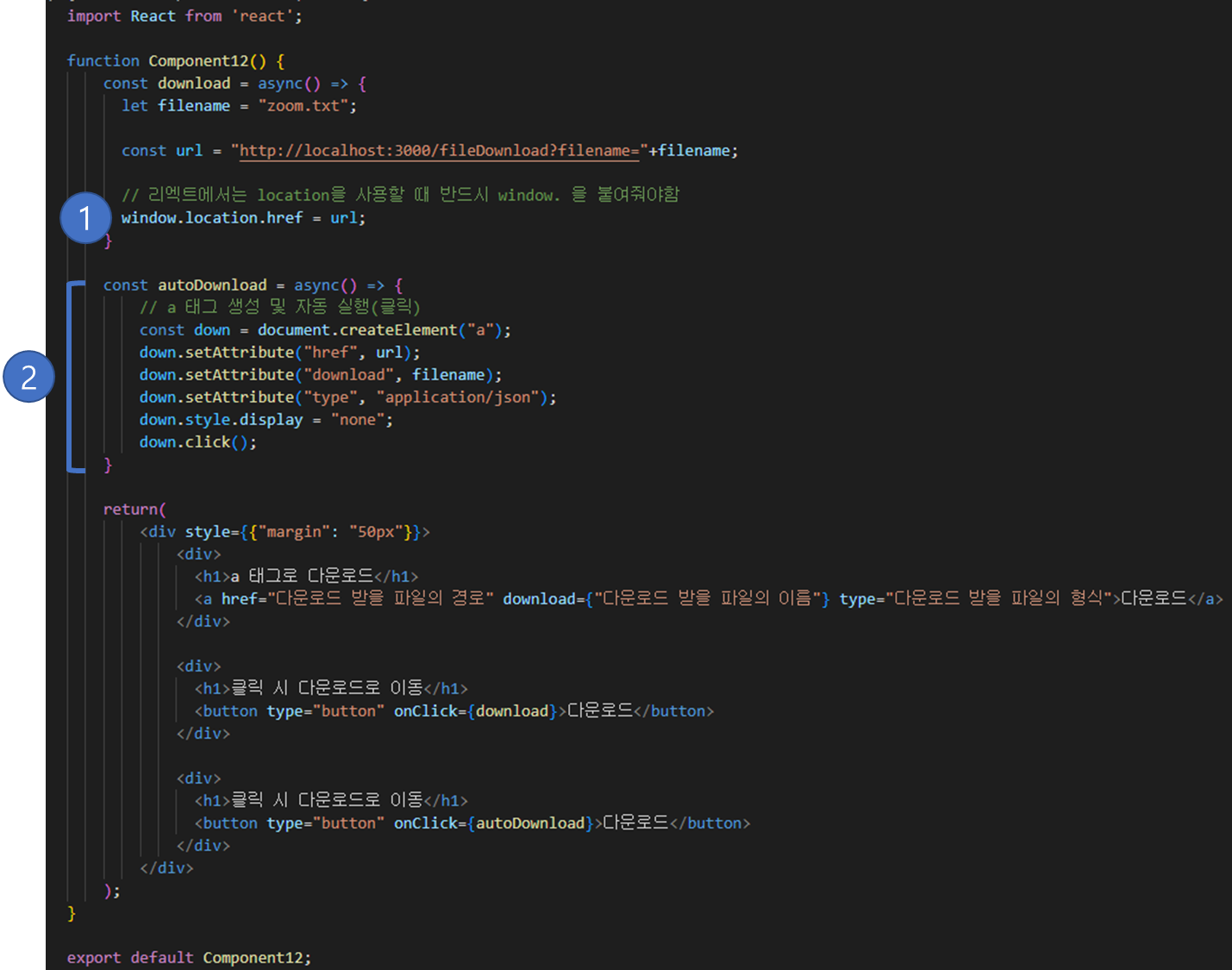
여기서 특징적인건 JS에서는 location 객체를 사용할 때 바로 사용할 수 있었지만 리엑트는 반드시 window.location 으로 접근(1)해야함
버튼 클릭 시 파일 자동 다운로드(2)도 추가적으로 넣었음
728x90
LIST
'JS + React > React-Chapter05' 카테고리의 다른 글
| Chapter05. 리엑트 쿠키 ( Cookie ) / useCookies 훅 (0) | 2023.04.04 |
|---|---|
| Chapter05. 리엑트 Axios / 서버로 요청 보내기 (0) | 2023.04.04 |
| Chapter05. (번외) node.js 서버 다루기 (0) | 2023.04.04 |